
Team & Roles
Manage who has access to your account and what they can do.
Roles
Every user on your account has a role that determines their permissions. There are five roles:
| Role | Can do |
|---|---|
| Owner | Full access. Manage billing, team, security policy, and all content. Can promote/demote any role including other Owners. |
| Admin | Manage team (except Owners), create/edit/publish content, manage forms, view analytics. Cannot manage billing or security policy. |
| Author | Create, edit, and publish pages. Access the editor, media library, and templates. Cannot manage team or billing. |
| Billing | Manage subscription, payment methods, and invoices. View content but cannot edit. |
| Viewer | Read-only access to all content, analytics, and submissions. Cannot create or edit anything. |
Managing Team Members
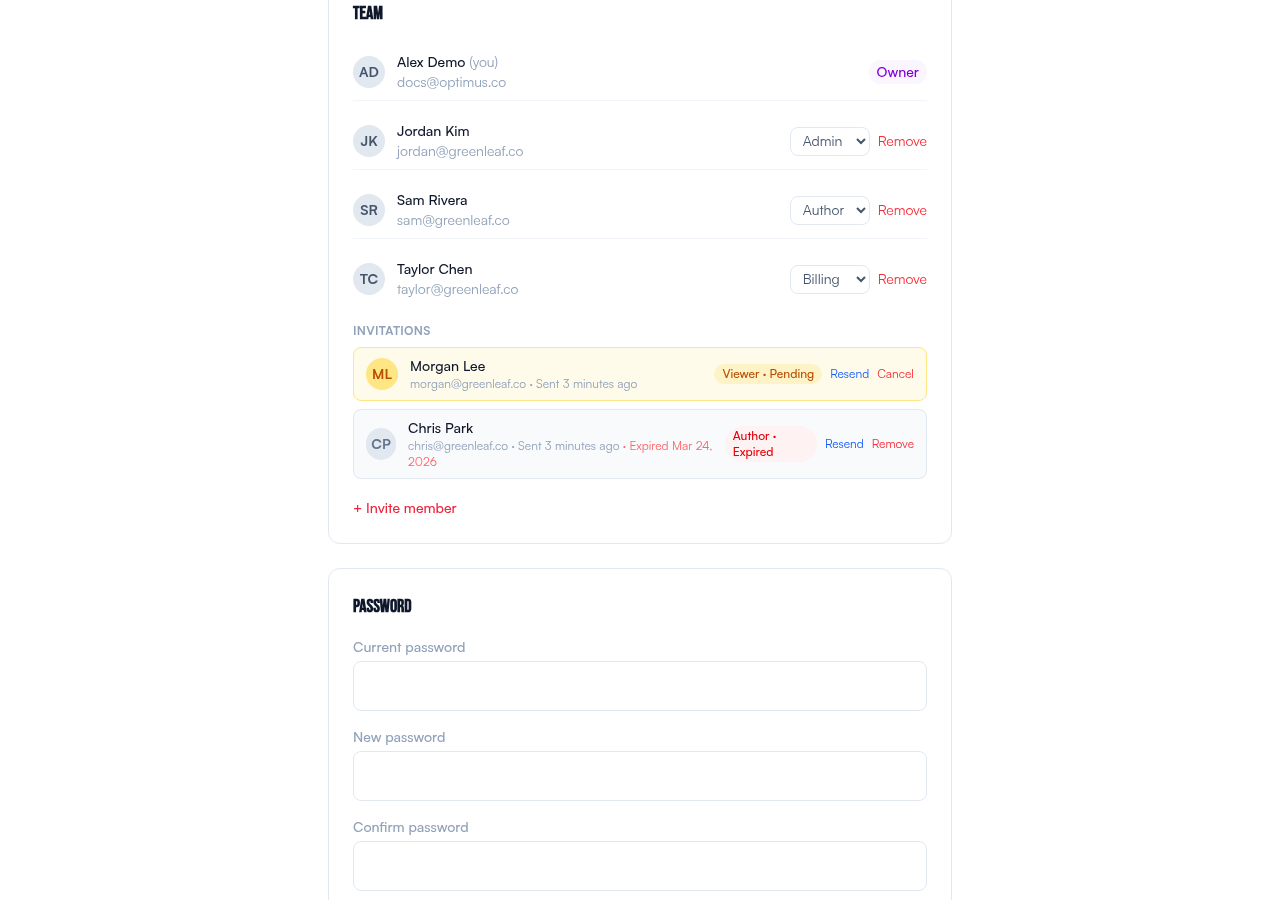
Go to Settings → Team to see all team members on your account.
Changing a role
Owners and Admins can change a team member's role using the dropdown next to their name. Only Owners can promote someone to Owner or demote another Owner.
Last Owner protection: There must always be at least one Owner on every account. You cannot demote or remove the last Owner.
Removing a member
Click Remove next to a team member to remove them from the account. This is immediate — they will be logged out and lose access to all account resources.
Related
- Invitations — how to add new people to your team
- Two-Factor Authentication — securing team accounts